Welcome to iGet Into PC your best source for latest version of software and tutorials for PC, Macintosh and Linux iGetintopc
Pixelmator Pro Creator Studio 4 Free Download macOS
Pixelmator Pro Creator Studio 4 Free Download macOS Latest Version for macOS. The program and all files are checked and installed manually before uploading, program is working perfectly fine without any problem. It is full offline installer standalone setup of Pixelmator Pro Creator Studio 4 Free Download macOS version.
Pixelmator Pro Creator Studio 4 macOS Overview
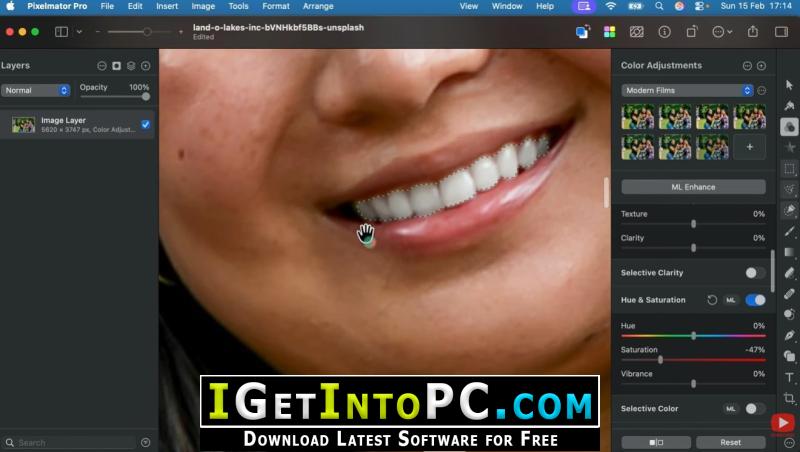
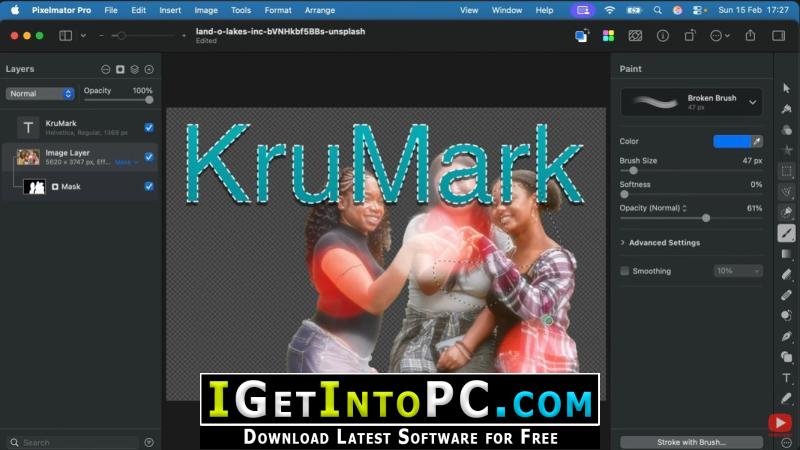
Picture perfect. Pixelmator Pro makes it easy to edit images and create striking graphics across Mac and iPad. It’s packed with powerful AI features that build on Apple Intelligence, and it works in concert with the other amazing apps in Apple Creator Studio. Adjust colors with incredible precision. Advanced tools and adjustment layers let you edit colors by range or selection, then refine individual colors to create perfectly polished palettes and tones. You can also download Steinberg Retrologue 2.
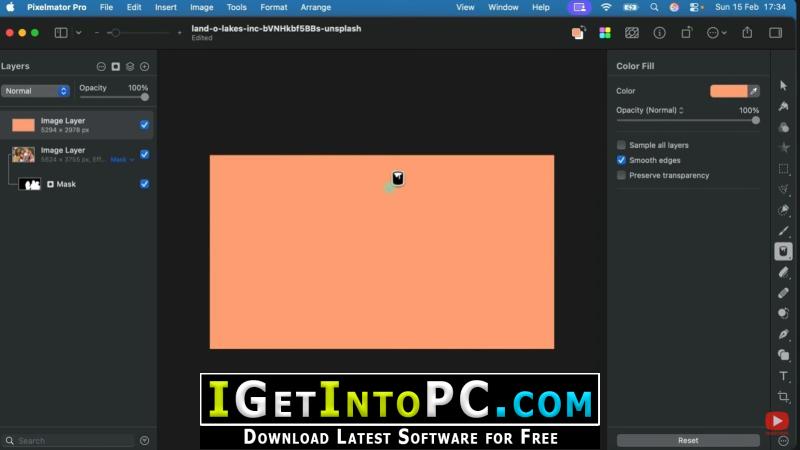
Reimagine your images. Explore all-new ways to express yourself with a powerful collection of creative effects, adjustments, and tools. Layering for endless possibilities. With nondestructive editing, use effects, fills, strokes, and shadows freely, and easily revert without affecting image quality if you change your mind. Over 60 versatile effects. Mix and match effects like Blur, Distortion, Sharpen, Tile, Halftone, and many more to get the style you want. You can also download Cakewalk Sonar 32.
Features of Pixelmator Pro Creator Studio 4 macOS
Below are some amazing features you can experience after installation of Pixelmator Pro Creator Studio 4 Free Download macOS please keep in mind features may vary and totally depends if your system supports them.
- An incredibly advanced yet intuitive tool for creative imaging.
- Simplify workflows and speed up creativity with powerful intelligence features.
- Create and edit visuals with pro-level quality — without the complexity.
- Jump-start your ideas with beautiful, professionally designed, fully customizable templates.
- Scale graphics to any size with a vast collection of powerful vector tools.
- Design and edit effortlessly wherever you are, on Mac or iPad.
- Intelligent masking. The Select and Mask feature lets you detect edges even fine details like hair or fur and creates a clean mask for you, eliminating the tedious step of tracing subjects manually.
- Full support for RAW photos. Add RAW photos as layers to edit them directly without having to convert or preprocess them.
- Easy video retouching. Work with video layers the same way you do with images, making it simple to mask or crop videos, change colors, and more.
System Requirements for Pixelmator Pro Creator Studio 4 macOS
Before you install Pixelmator Pro Creator Studio 4 Free Download macOS you need to know if your system meets recommended or minimum system requirements:
- Operating System: macOS 26 or later is required for the full version.
- Memory (RAM): 8 GB of RAM required.
- Hard Disk Space: 2 GB of free space required.
- Processor: Intel Multi Core processor or later.
Pixelmator Pro Creator Studio 4 macOS Technical Setup Details
- Software Full Name: Pixelmator Pro Creator Studio 4
- Setup File Name: _igetintopc.com_Pixelmator_Pro_Creator_Studio_4_macOS.rar
- Size: 588 MB. (because of constant update from back-end file size may vary)
- Setup Type: Offline Installer / Full Standalone Setup
- Compatibility Architecture: 64Bit (x64) 32Bit (x86)
How to Install Pixelmator Pro Creator Studio 4 macOS
- Extract the zip file using WinRAR or WinZip or by default Windows command.
- If needed password is always igetintopc.com
- Open Installer and accept the terms and then install program.
- Remember to check igetintopc.com_Fix folder and follow instructions in text file.
- If you are having trouble, please get help from our contact us page.
Pixelmator Pro Creator Studio 4 Free Download macOS
Click on below button to start Pixelmator Pro Creator Studio 4 Free Download macOS. This is complete offline installer and standalone setup for Pixelmator Pro Creator Studio 4 macOS. This can be installed on compatible versions of macOS.