Welcome to iGet Into PC your best source for latest version of software and tutorials for PC, Macintosh and Linux iGetintopc
Adobe After Effects 2027 Free Download: Features & System Requirements
Adobe After Effects 2027 Overview
Motion design continues to evolve, and Adobe After Effects 2027 brings a fresh set of tools designed to speed up complex visual effects and animation workflows. Whether you are animating a simple brand logo, building cinematic title sequences, or compositing detailed 3D scenes, this release focuses on cutting down repetitive manual tasks so you can spend more time on creative direction.
Inside the workspace, you will find tighter integration between 2D layers and native 3D objects, backed by over 1,300 free Substance 3D textures. Combined with faster timeline playback and smarter AI selection tools, creating studio-grade visual effects on a standard workstation is much smoother than in previous versions. You can also download Adobe Premiere Pro 2027

When working with typography and vector graphics, the updated engine gives you more flexibility right out of the box. You can animate variable fonts smoothly from thin to bold, import complex SVG files without losing gradients or transparency, and rely on customizable Motion Graphics templates to share assets directly with Adobe Premiere. You can also download Adobe Photoshop 2027.
Features of Adobe After Effects 2027
Once you install the software on a supported Windows machine, you can take advantage of several workflow upgrades:
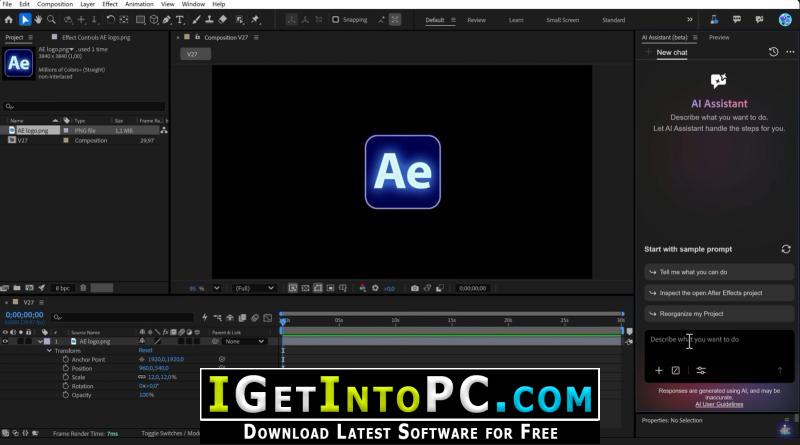
Isolate anything in no time with AI.
- Hover and click to isolate moving subjects across video frames in seconds with AI Object Matte, then clean up tricky edges using updated refinement brushes.
Your type. Your way.
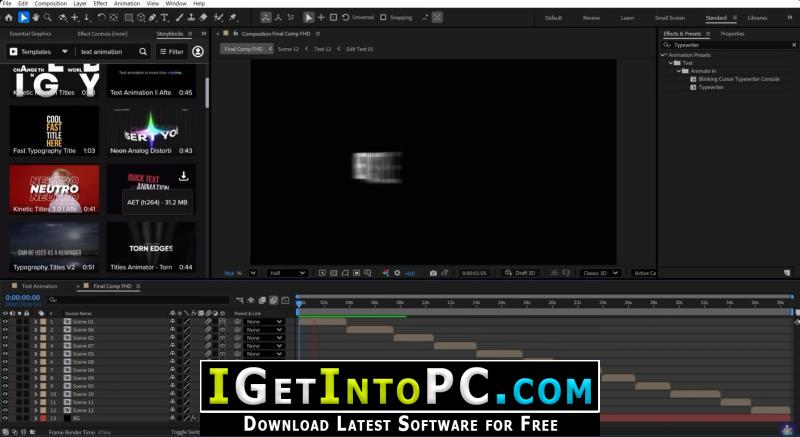
- Build expressive typographic motion that transitions smoothly from thin to bold with new variable font animation.
Easily import and animate SVG files.
- Improved SVG support preserves original transparencies and gradients so you can import vector artwork and start animating immediately.
Create 3D shapes. Natively.
- Build and light 3D shapes directly inside After Effects with realistic dynamic shadows and over 1,300 free textures from Adobe Substance 3D.
Play it back in full. Faster than ever.
- Preview longer sections of your composition timeline without constant buffering pauses interrupting your workflow.
See 3D animations in a whole new light.
- Blend dimensions, animate faster, and fine-tune lighting and shadows with simplified 3D workflows.
Mix 2D and 3D seamlessly.
- Create, import, and animate 3D models right alongside traditional 2D graphics inside a unified 3D workspace.
Track elements as they move.
- Follow the movement of any object in your clip to replace mobile phone screens, pin text to subjects, or attach graphics to live action.
Remove what you don’t want.
- Erase unwanted objects, boom mics, or background distractions automatically across every frame using Content-Aware Fill.
Swap out the background.
- Use advanced keying and rotoscoping tools to cleanly replace backgrounds and place subjects into entirely new environments.
Create Motion Graphics templates.
- Package your custom titles and lower thirds into customizable templates for instant editing in Adobe Premiere.
System Requirements for Adobe After Effects 2027
Before downloading the installer, make sure your Windows PC meets the baseline hardware and software requirements so the program runs smoothly:
- Operating System: Windows 10 or Windows 11 (64-bit, latest updates recommended)
- Memory (RAM): 8 GB minimum (16 GB or more recommended for heavy 3D and 4K compositions)
- Hard Disk Space: At least 15 GB of available space for installation (SSD recommended for media cache)
- Processor: Multi-core Intel or AMD processor with 64-bit support
Adobe After Effects 2027 Technical Setup Details
- Software Full Name: Adobe After Effects 2027
- Setup Type: Official Creative Cloud Online / Free Installer
- Compatibility Architecture: 64-Bit (x64)
- Developers: Adobe Inc.
- Download File Name: _igetintopc.com_Adobe_After_Effects_2027_x64.rar
- DownloD File Size: 5.4 GB.
How to Download and Install Adobe After Effects 2027
Because Adobe distributes After Effects through its official Creative Cloud platform, installing the software takes only a few minutes:
- Click the download button below to visit the official Adobe After Effects website.
- Download the Adobe After Effects 2027 setup file to your Windows PC.
- Run the installer and follow the on-screen prompts to let Creative Cloud download and configure After Effects 2027 automatically.
- Once installation finishes, launch the app from your Start Menu or the Creative Cloud desktop app.
Adobe After Effects 2027 Download Instructions
Click the button below to go to the official Adobe website and start downloading the Adobe After Effects 2027 for Windows.