Welcome to iGet Into PC your best source for latest version of software and tutorials for PC, Macintosh and Linux iGetintopc
Minimal Firewall 2 Free Download
Minimal Firewall 2 Free Latest Version for Windows. The program and all files are checked and installed manually before uploading, program is working perfectly fine without any problem. It is full Free standalone setup of Minimal Firewall 2 Free Download for latest version of Windows.
Minimal Firewall 2 Free Download Overview
Minimal Firewall enhances the built-in Windows Firewall to block all unknown network connections by default, giving you complete control. It prompts you for action when an application tries to connect, allowing you to mitigate malware, stop unwanted telemetry, and prevent data leaks. With Minimal Firewall, no application “phones home” without your explicit permission. You can also download Fort Firewall 3.

Unlike most other Firewall programs, Minimal Firewall acts as a frontend, avoiding enlarging your computer’s attack surface by playing around with lower levels of the WFP. Minimal Firewall also has an audit feature to examine new rules added to Windows Firewall. When you use a WFP app, it acts as a filter on top of Windows Firewall. The problem is that Microsoft sets varying levels of importance to its firewall rules (e.g. those changed in group policy editor or related to Windows Defender may have higher importance). You can also download Windows Firewall Control 6.
Features of Minimal Firewall 2 Free Download
Below are some amazing features you can experience after installation of Minimal Firewall 2 Free please keep in mind features may vary and totally depends if your system supports them.
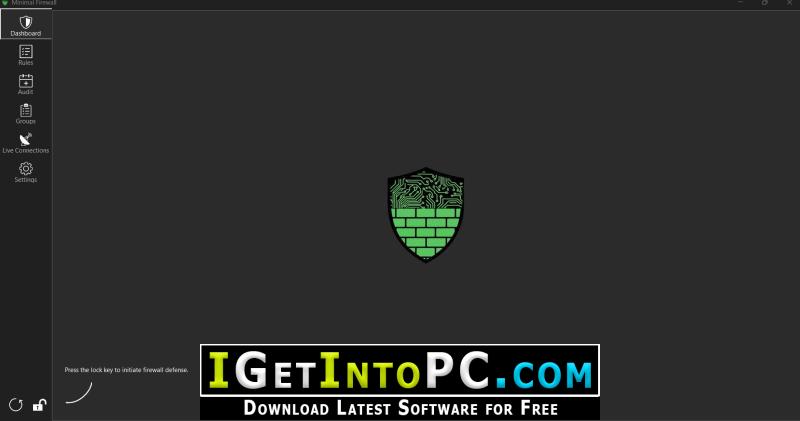
- Lockdown Mode: The heart of Minimal Firewall. When enabled, it configures the Windows Firewall to block all outbound connections that don’t have an explicit “Allow” rule.
- Real-Time Connection Alerts: Get instant notifications when a blocked program attempts network access. Choose between interactive pop-ups for immediate action or silent, in-app alerts on the dashboard to review later.
- Simple & Advanced Rule Creation:
- Program Rules: Allow or block applications with a single click.
- Advanced Rules: Create detailed rules based on protocol (TCP/UDP/ICMP), local/remote ports, IP addresses, services, and network profiles (Domain, Private, Public).
- Firewall Auditing & History Log: The Audit tab serves as an active ledger of all firewall changes on your system.
- Active Interception: Minimal Firewall tracks exactly how new rules are handled with a dedicated “Intervention” column.
- Smart OS Handling: Windows “Allow” rules are automatically disabled to prevent unauthorized bypasses, while explicit OS “Block” rules are safely retained (this behavior is customizable in settings).
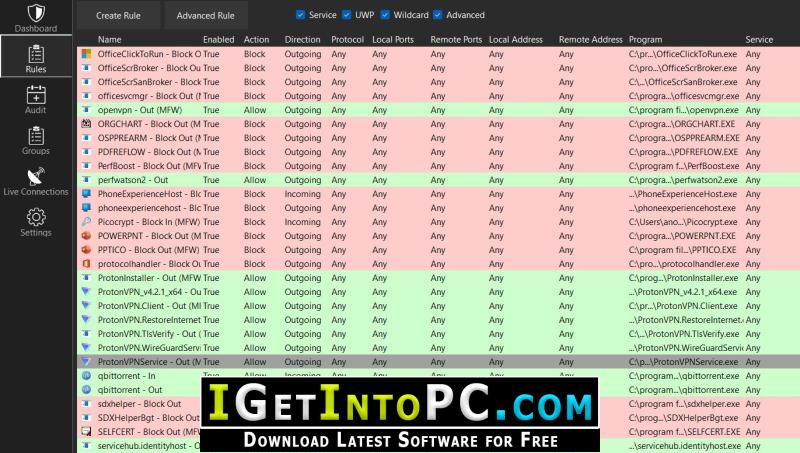
- Visual Ledger: Rules are intuitively color-coded based on the action taken: Gray for auto-handled Microsoft rules, Green for allowed connections, and Red for blocked rules.
- Batch Management: Select multiple entries to allow, disable, or delete rules in bulk.
- Live Traffic Monitoring: The “Live Connections” tab displays all active TCP connections on your system in real-time with optimized polling, showing which process is connected to which remote address.
- Wildcard Rules: Easily manage applications that update frequently (like web browsers) by creating rules that apply to any executable within a specific folder. Updates to the wildcard list are now reflected immediately.
- Domain Name Filtering: Block or allow specific websites and domains (e.g., example.com). Since Windows Firewall only understands IP addresses, Minimal Firewall acts as a translator. It runs a lightweight, configurable background timer that securely asks your OS’s DNS server to resolve domains into IP addresses. If a domain changes its IP (like CDNs often do), the application silently updates the underlying Windows Firewall IP rules to ensure your rules never break.
- Rule Import & Export: Save your entire rule configuration (including advanced and wildcard rules) to a single JSON file. This is perfect for backups or migrating your setup to a new computer. Paths are made portable using environment variables (%LOCALAPPDATA%, etc.) for easy sharing. You can choose to either add imported rules to your existing set or completely replace them.
- Trust Publishers/Digital Certificates: Automatically allow applications signed with a trusted digital certificate. You can also manage your own list of trusted publishers to automatically allow any software they create.
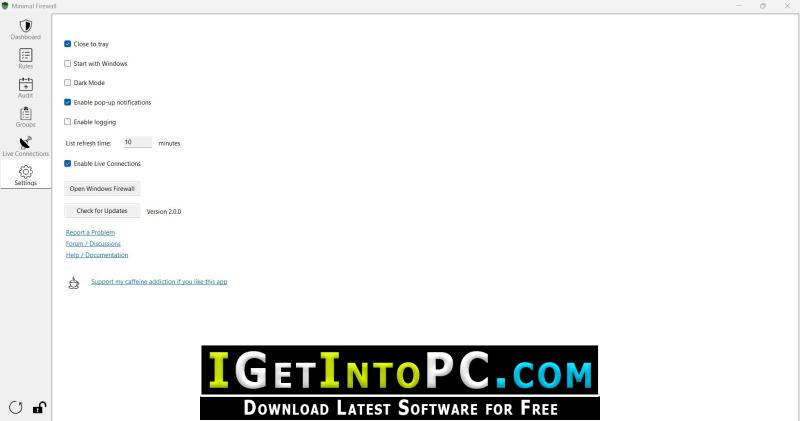
- Light & Dark Themes: A clean, modern user interface that’s easy on the eyes, day or night, with DPI scaling support for multi-monitor setups.
- 100% Local and Private: Minimal Firewall contains no telemetry, does not connect to the internet, and stores all rules and logs locally in your %LocalAppData% folder.
- Portable: Minimal Firewall is a single executable that requires no installation. All rules are native to Windows Firewall, so no custom drivers or services are left behind..
System Requirements for Minimal Firewall 2 Free Download
Before you install Minimal Firewall 2 Free Download you need to know if your system meets recommended or minimum system requirements
- Operating System: Windows 7/8/8.1/10/11 (most updated versions only)
- Memory (RAM): 2 GB of RAM required.
- Hard Disk Space: 5 MB of free space required for full installation.
- Processor: Intel Pentium i5, multi-core GHz or higher.
Minimal Firewall 2 Free Download Technical Setup Details
- Software Full Name: Minimal Firewall 2 Free
- Download File Name: _igetintopc.com_Minimal_Firewall_2_x64.rar
- Download File Size: 1 MB. (Because of constant update from back-end file size or name may vary)
- Application Type: Free / Full Standalone Setup
- Compatibility Architecture: 64Bit (x64) 32Bit (x86)
How to Install Minimal Firewall 2 Free
- Extract the downloaded file using WinRAR or WinZip or by default Windows command.
- If needed password is always igetintopc.com
- Open Installer and accept the terms and then install program.
- Remember to check igetintopc.com_Fix folder and follow instructions in text file.
- If you are having trouble, please get help from our contact us page.
Minimal Firewall 2 Free Download Instructions
Click on below button to start downloading Minimal Firewall 2 Free. This is complete Free and standalone setup of Minimal Firewall 2 Free for Windows. This would be working perfectly fine with compatible version of Windows.