Welcome to iGet Into PC your best source for latest version of software and tutorials for PC, Macintosh and Linux iGetintopc
Flyby11 v3 Free Download
Flyby11 v3 Free Latest Version for Windows. The program and all files are checked and installed manually before uploading, program is working perfectly fine without any problem. It is full Free standalone setup of Flyby11 v3 Free Download for latest version of Windows.
Flyby11 v3 Free Download Overview
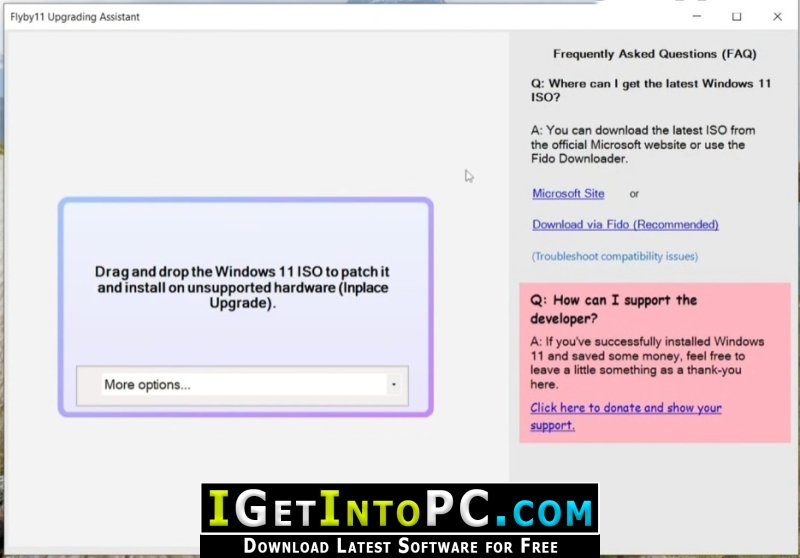
Flyby11 is a simple patcher that removes the annoying restrictions preventing you from installing Windows 11 (24H2) on unsupported hardware. Got an old PC? No TPM, Secure Boot, or your processor isn’t supported? Flyby11 lets you install Windows 11 24H2 anyway. You can also download Windows 11 Professional 2025.
No complicated steps. Just run the tool (download below you may need to unpack a zip file), and you’ll be running Windows 11 on your outdated machine in no time. Think of it as sneaking through the back door without anyone noticing. You can also download WinToHDD Enterprise 6.
Features of Flyby11 v3 Free Download
Below are some amazing features you can experience after installation of Flyby11 v3 Free please keep in mind features may vary and totally depends if your system supports them.
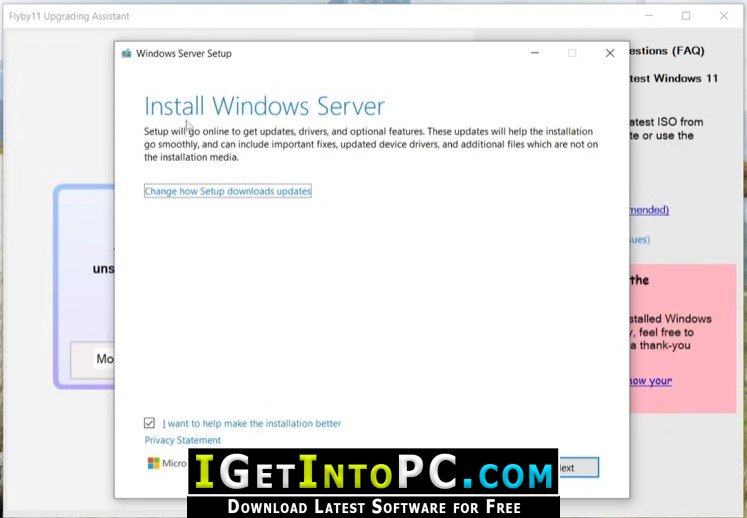
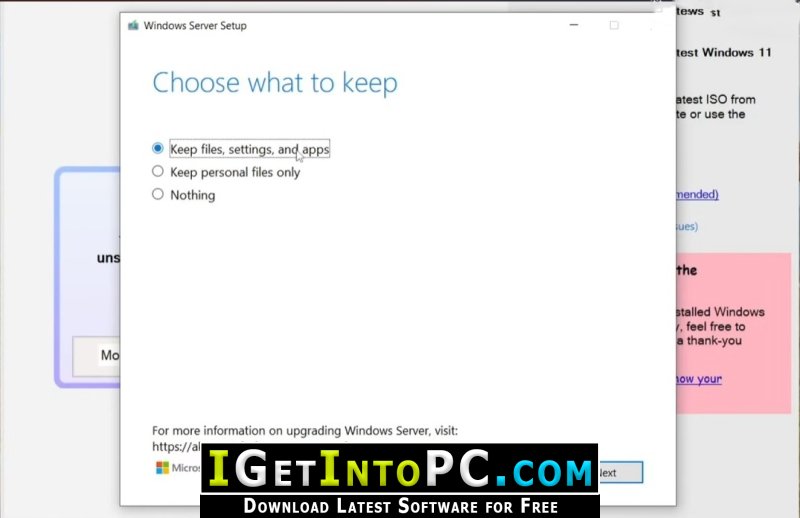
- Windows Server Setup: The tool uses the Windows Server variant of the setup, which avoids the usual checks for things like TPM, Secure Boot, and specific processor requirements.
- Install Regular Windows 11: Even though the setup runs in server mode, it installs the normal Windows 11 version (not the server version).
- Manual ISO Preparation: Flyby11 automates the download and mounting of the ISO, so you don’t need to manually tweak anything. You can get the ISO from official sources or the tool will handle it using the Fido script. This method is the same approach described in the official Windows documentation for upgrading unsupported systems.
System Requirements for Flyby11 v3 Free Download
Before you install Flyby11 v3 Free Download you need to know if your system meets recommended or minimum system requirements
- Operating System: Windows 7/8/8.1/10/11 (most updated versions only)
- Memory (RAM): 8 GB of RAM required.
- Hard Disk Space: 1 MB of free space required for full installation.
- Processor: Intel Pentium i5, multi-core GHz or higher.
Flyby11 v3 Free Download Technical Setup Details
- Software Full Name: Flyby11 v3 Free
- Download File Name: _igetintopc.com_Flyby11_3.rar
- Download File Size: 1 MB. (Because of constant update from back-end file size or name may vary)
- Application Type: Free / Full Standalone Setup
- Compatibility Architecture: 64Bit (x64) 32Bit (x86)
How to Install Flyby11 v3 Free
- Extract the downloaded file using WinRAR or WinZip or by default Windows command.
- If needed password is always igetintopc.com
- Open Installer and accept the terms and then install program.
- Remember to check igetintopc.com_Fix folder and follow instructions in text file.
- If you are having trouble, please get help from our contact us page.
Flyby11 v3 Free Download Instructions
Click on below button to start downloading Flyby11 v3 Free. This is complete Free and standalone setup of Flyby11 v3 Free for Windows. This would be working perfectly fine with compatible version of Windows.