Welcome to iGet Into PC your best source for latest version of software and tutorials for PC, Macintosh and Linux iGetintopc
DiskDigger 2 Free Download
DiskDigger 2 Free new and updated version for Windows. It is full Free standalone setup of DiskDigger 2 Free Download for compatible version of Windows. Program was checked and installed manually before uploading by our staff, it is fully working version without any problem.
DiskDigger 2 Free Download Overview
DiskDigger® is a tool that undeletes and recovers lost files from your hard drive, memory cards, USB flash drives — you name it! Whether you accidentally deleted some documents or photos from your computer, reformatted your camera’s memory card, or want to see what files are lurking on an old USB drive, DiskDigger is here for you. See the complete list of features to learn more. You can also download Wondershare Repairit 6.
DiskDigger can recover deleted files from most types of media that your computer can read: hard disks, USB flash drives, memory cards, CDs, DVDs, and even floppy disks. (Note: DiskDigger cannot recover data directly from Android or iOS devices plugged into a USB port on your PC. To recover data from an Android device, please use the DiskDigger app for Android. And if your Android device uses a microSD card for storing the data, please remove the card and connect it directly to your PC using a card reader, so that you can scan it directly using DiskDigger for Windows.. You can also download Tenorshare 4DDiG 10.
Features of DiskDigger 2 Free Download
Below are some amazing features you can experience after installation of DiskDigger 2 Free please keep in mind features may vary and totally depends if your system supports them.
- Simple and intuitive interface, to help you find exactly the files you’re looking for, as easily as possible.
- Works in Windows 11, Windows 10, Windows 8, Windows 7, Windows Vista, and Windows XP. Both 32-bit and 64-bit versions of Windows are supported.
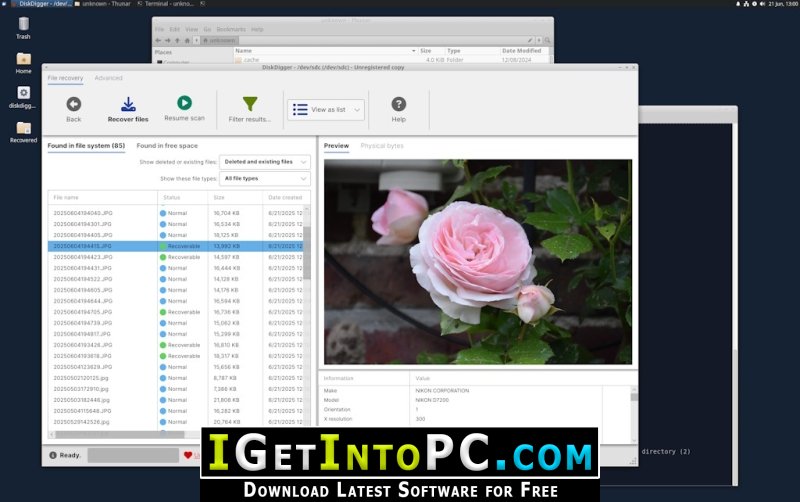
- Also works in Linux.
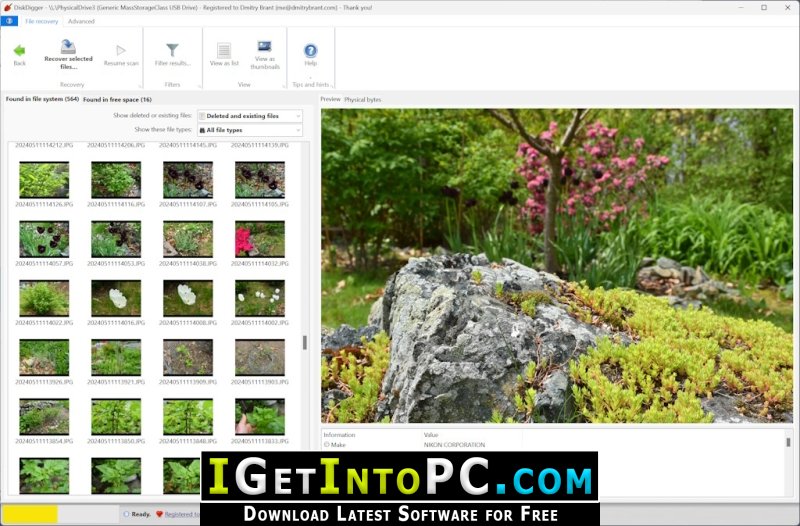
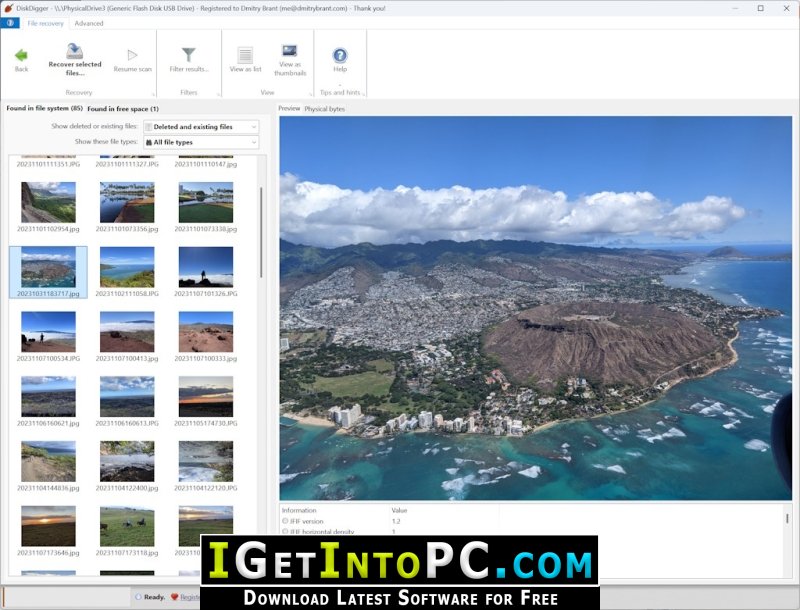
- View recoverable files as a list, or as thumbnail previews.
- Thumbnails will show previews of photos and image files, album art from MP3 and WMA files, icons from executable files, and any other image that can represent a file.
- Highlighting a recoverable file brings up a full preview of the file (insofar as possible). For photos and images, it will show the image (with pan and zoom). For document files, it will show a text-only preview of the document. For certain audio files, it will allow you to play back the sound.
- Previews of JPG and TIFF files will show EXIF information (camera model, date taken, sensor settings, etc.).
- Previews of MP3 files will show ID3 information (artist, album, genre, etc.).
- Previews of ZIP files will show a list of files contained in the archive.
System Requirements for DiskDigger 2 Free Download
Before you install DiskDigger 2 Free Download you need to know if your system meets recommended or minimum system requirements
- Operating System: Windows 7/8/8.1/10/11 (most updated versions only)
- Memory (RAM): 8 GB of RAM required.
- Hard Disk Space: 50 MB of free space required for full installation.
- Processor: Intel Pentium i5, multi-core GHz or higher.
DiskDigger 2 Free Download Technical Setup Details
- Software Full Name: DiskDigger 2 Free
- Download File Name: _igetintopc.com_DiskDigger_2.rar
- Download File Size: 3.2 MB. (Because of constant update from back-end file size or name may vary)
- Application Type: Free / Full Standalone Setup
- Compatibility Architecture: 64Bit (x64) 32Bit (x86)
How to Install DiskDigger 2 Free
- Extract the downloaded file using WinRAR or WinZip or by default Windows command.
- If needed password is always igetintopc.com
- Open Installer and accept the terms and then install program.
- Remember to check igetintopc.com_Fix folder and follow instructions in text file.
- If you are having trouble, please get help from our contact us page.
DiskDigger 2 Free Download Instructions
Click on below button to start downloading DiskDigger 2 Free. This is complete Free and standalone setup of DiskDigger 2 Free for Windows. This would be working perfectly fine with compatible version of Windows.