Welcome to iGet Into PC your best source for latest version of software and tutorials for PC, Macintosh and Linux iGetintopc
Bulk Image Downloader Free Download
Bulk Image Downloader Free Latest Version for Windows. The program and all files are checked and installed manually before uploading, program is working perfectly fine without any problem. It is full Free standalone setup of Bulk Image Downloader Free Download for latest version of Windows.
Bulk Image Downloader Free Download Overview
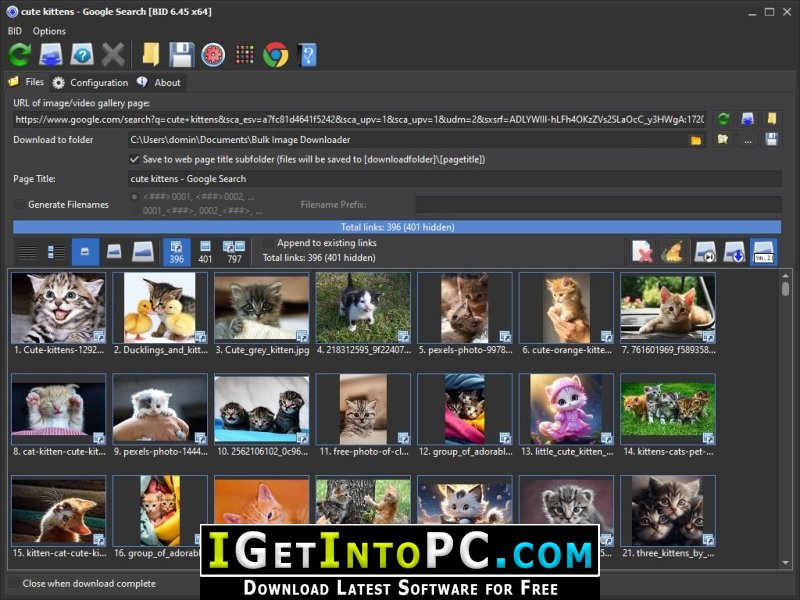
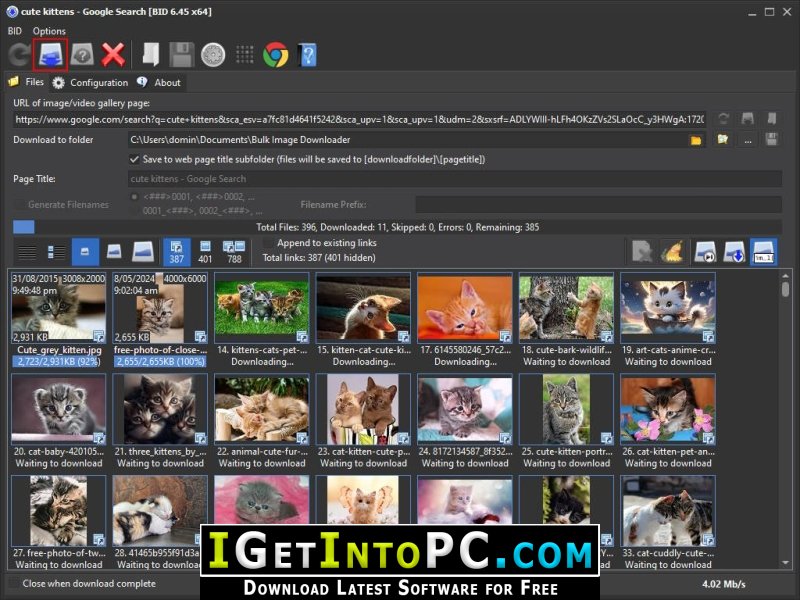
Apart from simply downloading all the images on a web page it can also locate and download full sized images from almost any thumbnailed web gallery. A thumbnailed web gallery is a web page containing thumbnailed (small sized) images that each link to full sized images or to secondary pages containing the full sized images. To download all of the full sized images from such pages you would typically need to click on each thumbnailed link and then right click on each full sized image and select “Save Image As…”, which can be difficult and time consuming. You can also download Internet Download Manager 6 IDM.

BID makes downloading full sized images from such galleries quick and easy. BID will automatically download from almost any site, even if the images are hosted on free image hosting sites such as flickr, imagevenue or imagefap. It is smart enough to handle most sites without any complicated set up or “project files” required. It just works. BID is not just for images – it can also download thumbnailed video files from pages that contain directly linked video files (.mp4, .avi, .wmv, .mpeg, .mov, etc.). You can also download Free Download Manager 6.
Features of Bulk Image Downloader Free Download
Below are some amazing features you can experience after installation of Bulk Image Downloader Free please keep in mind features may vary and totally depends if your system supports them.
Save Time
- No more endless clicking and right clicking to “save image as…”
It just works
- No complicated configuration or project files need to be set up.
You’re in control
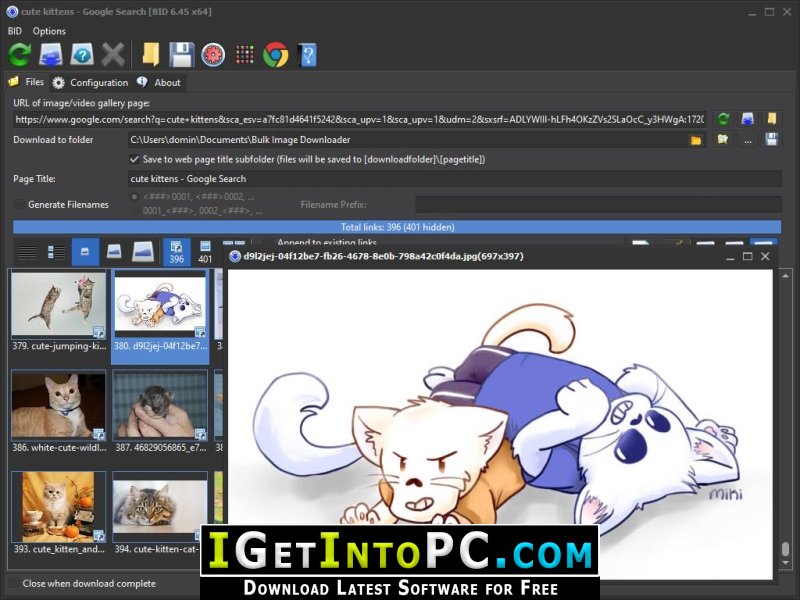
- Preview images as thumbnails or in full size before downloading. Only download those you want.
Automated Downloads
- Queue up multiple galleries for automated unattended downloading with the BID Queue Manager. Great for TGP sites and web forums.
One tool for all sites
- Stop switching between different downloaders for different web sites. BID does them all.
Regular updates
- As web sites can change often, BID is in constant active development and updates are released frequently.
System Requirements for Bulk Image Downloader Free Download
Before you install Bulk Image Downloader Free Download you need to know if your system meets recommended or minimum system requirements
- Operating System: Windows 7/8/8.1/10/11 (most updated versions only)
- Memory (RAM): 2 GB of RAM required.
- Hard Disk Space: 200 MB of free space required for full installation.
- Processor: Intel Pentium i5, multi-core GHz or higher.
Bulk Image Downloader Free Download Technical Setup Details
- Software Full Name: Bulk Image Downloader Free
- Download File Name: _igetintopc.com_Bulk_Image_Downloader_6.rar
- Download File Size: 35 MB. (Because of constant update from back-end file size or name may vary)
- Application Type: Free / Full Standalone Setup
- Compatibility Architecture: 64Bit (x64) 32Bit (x86)
How to Install Bulk Image Downloader Free
- Extract the downloaded file using WinRAR or WinZip or by default Windows command.
- If needed password is always igetintopc.com
- Open Installer and accept the terms and then install program.
- Remember to check igetintopc.com_Fix folder and follow instructions in text file.
- If you are having trouble, please get help from our contact us page.
Bulk Image Downloader Free Download Instructions
Click on below button to start downloading Bulk Image Downloader Free. This is complete Free and standalone setup of Bulk Image Downloader Free for Windows. This would be working perfectly fine with compatible version of Windows.