Welcome to iGet Into PC your best source for latest version of software and tutorials for PC, Macintosh and Linux iGetintopc
Ashampoo Snap Pro 26 Free Download
Ashampoo Snap Pro 26 Free Download Overview
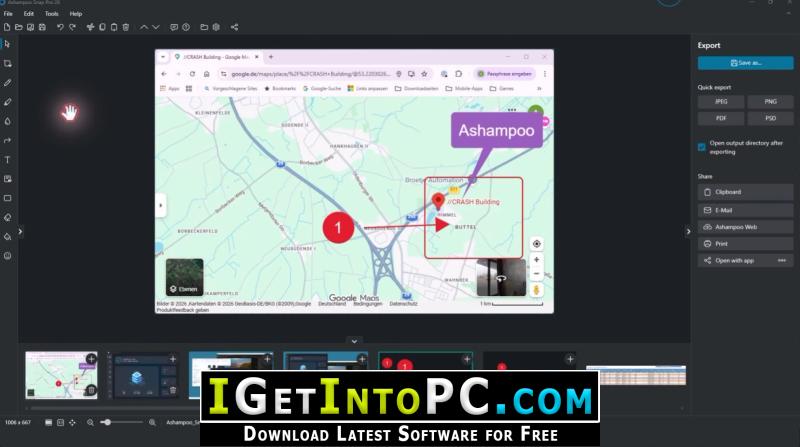
Ashampoo Snap Pro 26 introduces Live Edit. This feature allows you annotate screen contents on your Desktop before taking the screenshot. Arrows, text, or highlights can be placed exactly where they should appear in the final image. This makes creating explanatory screenshots faster and often eliminates the need for additional editing. At the same time, Snap has been technically modernized from the ground up: Ashampoo Snap Pro 26 is more responsive, stable, and resource-efficient. You can also download TechSmith Snagit 2025.

Screenshots and video recordings with scrolling function, sound option and quick access via hotkeys Direct editing with text, highlighting, numbering, blur tools and a handy screenshot library Ideal for instructions, tutorials and documentation with flexible export as PNG, JPG, PDF and cloud upload. The new Ashampoo Snap is built on a fully modernized technical foundation: The program starts faster, responds more quickly, and operates more smoothly overall. You can also download CyberLink Screen Recorder Deluxe 4.
Features of Ashampoo Snap Pro 26 Free Download
Below are some amazing features you can experience after installation of Ashampoo Snap Pro 26 Free please keep in mind features may vary and totally depends if your system supports them.
- Live Edit: Comment and annotate screen contents directly on your desktop
- Create live screenshots while the desktop remains active
- Prepare and create multiple screenshots in one go
- Huge multi-display spanning canvas
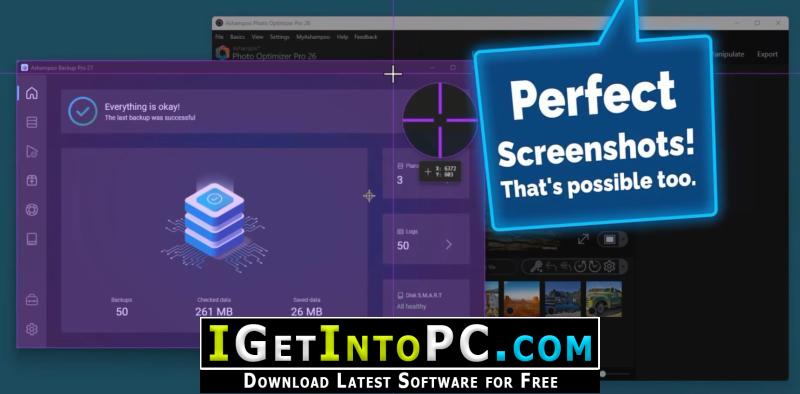
- Pixel-precision with cursor movement in one-pixel increments
- Convert screen contents into freely positionable text and image elements
- Better performance, stability, and resource efficiency
- Optimized toolbar for faster workflow
- Redesigned properties bar for visual clarity
- Improved color scheme for better readability
- Quick Scroll for fast navigation of large captures
- Faster web exports through modernized upload
- Improved drag-and-drop support for cliparts and imported images
- Improved arrow styles for better precision
- New output formats for email export
- Print dialog with margin settings in centimeters
- Adjustable video quality for smaller files and faster exports
System Requirements for Ashampoo Snap Pro 26 Free Download
Before you install Ashampoo Snap Pro 26 Free Download you need to know if your system meets recommended or minimum system requirements
- Operating System: Windows 7/8/8.1/10/11 (most updated versions only)
- Memory (RAM): 8 GB of RAM required.
- Hard Disk Space: 1 GB of free space required for full installation.
- Processor: Intel Pentium i5, multi-core GHz or higher.
Ashampoo Snap Pro 26 Free Download Technical Setup Details
- Software Full Name: Ashampoo Snap Pro 26 Free
- Download File Name: _igetintopc.com_Ashampoo_Snap_Pro_26_x64.rar
- Download File Size: 251 MB. (Because of constant update from back-end file size or name may vary)
- Application Type: Free / Full Standalone Setup
- Compatibility Architecture: 64Bit (x64)
How to Install Ashampoo Snap Pro 26 Free
- Extract the downloaded file using WinRAR or WinZip or by default Windows command.
- If needed password is always igetintopc.com
- Open Installer and accept the terms and then install program.
- Remember to check igetintopc.com_Fix folder and follow instructions in text file.
- If you are having trouble, please get help from our contact us page.
Ashampoo Snap Pro 26 Free Download Instructions
Click on below button to start downloading Ashampoo Snap Pro 26 Free. This is complete Free and standalone setup of Ashampoo Snap Pro 26 Free for Windows. This would be working perfectly fine with compatible version of Windows.